
Upgrade to Mobile Credentials in Culver City, CA
Culver City · ZIP 90230, 90232 · Westside · Access Control Systems
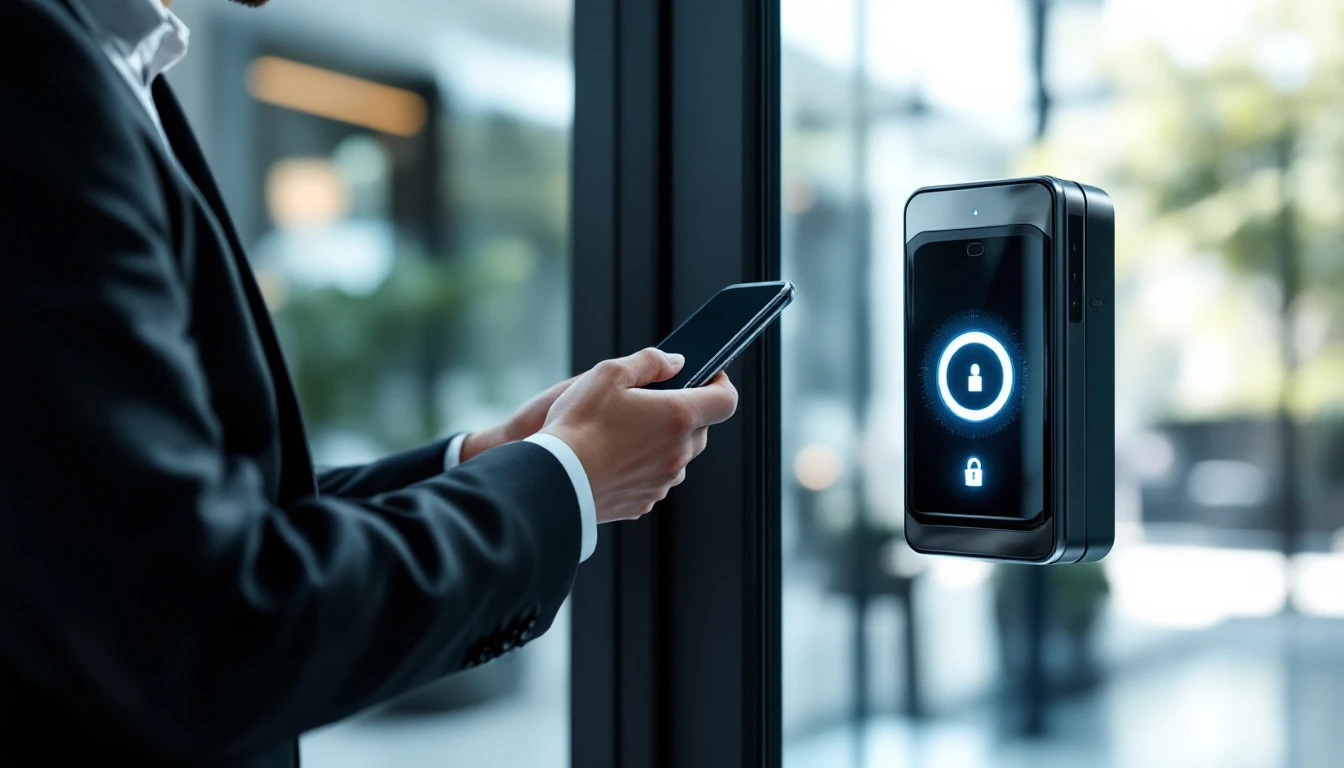
Los Angeles Access Control delivers professional upgrade to mobile credentials for commercial and residential properties in Culver City. From design through programming, a single accountable crew manages the whole project — cabling, locks, readers and credentials included.
Estimates are free, pricing is put in writing before work begins, and everything we install is backed by warranty. Call (888) 917-9811 — open Sunday–Thursday 6:30 AM–11:30 PM and Friday 6:30 AM–4 PM.
Local upgrade to mobile credentials experts serving Culver City
Culver City sits in the Westside, and we know it street by street. From properties near downtown Culver City or the Culver Steps, and anywhere off the I-405, we arrive already familiar with the construction styles found across the 90230 area — aluminum storefronts, wood-frame offices, stucco multifamily walk-ups and tilt-up industrial shells — so the right brackets, strikes and readers are on the truck before we knock.
In addition to Culver City, the same crew serves Palms, Cheviot Hills, Beverlywood and Baldwin Hills, which means multi-site owners get one vendor, one standard, one phone number: (888) 917-9811.
What cheap installs get wrong
Phone-only quotes. The unknowns get billed later or botched. Insist on a walkthrough — we do them free.
Cheap power supplies. Behind most "haunted" systems is a starved power supply — good power is cheap insurance.
Ignoring egress code. A maglock without compliant release mechanisms is a violation and a liability. Compliance has to be in the design, not patched after.
No documentation. When the installer vanishes, undocumented systems become hostage situations. Demand as-builts and admin credentials in writing.
Old cards left active. An upgrade that keeps the old database keeps the old holes. A credential audit belongs in every takeover.
Code compliance, egress and safety
An installer who doesn't ask about your fire alarm panel is a red flag. Electromagnetic locks especially carry strict egress requirements: layered release mechanisms per the California Building Code. Our installations pass inspection because they're designed for inspection — permits included where the AHJ requires them.
Documentation is part of compliance: as-built drawings, door schedules, release mechanisms and test records stay with your file, so fire marshals, insurers and future contractors get answers in minutes.
From first call to final walkthrough
1. Site survey. A technician walks the property with you, noting door and frame construction, existing wiring, power availability and network paths. This produces an itemized scope and quote — no vague allowances.
2. Engineering. We pair specific hardware per door, size power supplies with battery backup, map panel locations, and verify life-safety compliance up front.
3. The install. Our crew — never day labor — pull and label every cable, fit hardware precisely, and work around your business hours with minimal disruption.
4. Configuration. Users, schedules and access levels are configured, auto-lock and unlock schedules set, alerts configured, and integrations (video, intercom, elevator) connected.
5. Testing and training. Each opening is tested under power loss, egress and forced-entry conditions, and whoever manages the system gets real training — plus written documentation.
6. Service after the sale. We keep your as-builts, programming records and parts list on file, so future service calls are fast. Maintenance plans are available without lock-in contracts.
What "secure" actually requires
Hardware alone doesn't make a door secure. What decides it: can the lock wiring be reached from outside? Does the door report when it's propped? can the cards be cloned at a kiosk? Is the controller on battery backup? Every one of those questions has a deliberate answer in our designs.
Think about failure modes before they happen: what happens in a blackout, a network outage, a fire alarm, an earthquake — each has a correct, code-driven answer that gets engineered in, and we test them before handoff, not improvised during the event.
Hardware and platforms we work with
We install and service the major professional lines: HID readers and credentials, Brivo and Avigilon Alta (Openpath) cloud access control, DoorKing and ButterflyMX entry systems, Axis door controllers, plus professional locking hardware from the names inspectors recognize. Brand choice follows your building's needs, not a distributor quota.
Behind the walls, OSDP is replacing Wiegand — an encrypted, supervised protocol that closes Wiegand's known holes. Most modern readers support it already; ask us whether your wiring qualifies.
However you phrase it, this is the page
The same need wears many labels: some search "NFC access control" while others try "mobile access control", property managers tend toward "add mobile entry to existing access control" and "hands free door access". Each phrase points at the same job — who can design, install and stand behind this in Culver City — and this page exists to answer it: Los Angeles Access Control, (888) 917-9811.
Adjacent jobs the same crew covers includes upgrade to mobile credentials, NFC door entry system, smartphone gate access, touchless access control and mobile credential access control. Bundling related scopes into one visit almost always costs less than piecemeal calls — shared labor, shared wiring, one warranty.
The reasons customers stay with us
Long hours, real answers. Available Sunday–Thursday 6:30 AM–11:30 PM and Friday to 4 PM. Entry failures don't respect business hours, so neither do we.
Transparent pricing. The number you approve is the number you pay. Change orders only happen when you change the scope.
Non-proprietary by default. We install open-platform systems you could have anyone service — though most customers never want anyone else.
Backed work. Labor and manufacturer warranties on everything we install, honored fast.
Local and accountable. Headquartered at 189 The Grove Drive in Los Angeles, with techs living and working across the county. When something needs attention, we're minutes away — not a ticket queue in another state.
One trade, deep focus. Access control, intercoms, buzzers, maglocks and gate entry are all we do — not a sideline bolted onto an alarm company.
Signs it's time for upgrade to mobile credentials
Your existing system is down more than it's up — past a point, stabilizing legacy hardware costs more than replacing it.
Staff or tenant turnover triggers a locksmith visit every time — electronic credentials turn that into a ten-second software change.
Nobody can say how many keys exist for your doors — each one is standing access you can't revoke.
Doors get propped because entry is inconvenient — convenience failures become security failures.
Something went missing and the entry log is a shrug — an event history would have answered it in minutes.
Any one of these justifies a conversation; two or more mean you're already carrying risk. The call is free: (888) 917-9811.
System choices, compared honestly
Self-contained locks and keypads is the entry point: right for very small scopes, but it doesn't scale and rarely logs anything useful.
On-premise panels still win for owners who want zero recurring fees — we install plenty of them — with the caveat that software upkeep falls on you or a service plan.
Cloud-managed systems now dominate new installs: manage every door from a browser, updates arrive automatically, and multi-site portfolios live in one dashboard. The subscription is the trade, which typically costs less than the maintenance it eliminates.
Unsure which fits? The free site survey settles it — we'll recommend the cheapest option that actually solves your problem, and put the reasoning in writing. (888) 917-9811.
What does upgrade to mobile credentials cost?
No two buildings price alike since wire paths, frame types and panel locations differ. Which is why our quotes come from an actual site survey — the number is accurate and it's in writing.
Be cautious with phone-only pricing: unknowns get billed later one way or another. We survey for free, usually in under an hour, and produce a fixed written quote.
A quick glossary
Door position switch (DPS) — a sensor reporting whether the door is physically open or closed, the basis for propped-door and forced-entry alerts.
Request-to-exit (REX) — hardware that detects someone leaving and releases the lock so egress is always free.
Fail-safe vs. fail-secure — the lock's behavior on power loss: fail-safe unlocks (required for some egress doors), fail-secure stays locked (most strikes). Choosing per-door is a design decision, not a default.
Credential — whatever unlocks the door: card, fob, PIN, phone or fingerprint. Encryption level varies wildly between credential generations.
Access level — which doors, at which times, for which users. Good access-level design is the difference between a tidy system and chaos.
Anti-passback — logic that stops one fob from being passed back to admit a second person, common in garages and secured floors.
Typical applications
Multifamily buildings — where we tailor traffic patterns, user counts and liability exposure, down to schedules and alert rules.
Modern offices — one of our most frequent project types, with proven hardware packages ready to quote.
Tech campuses — where we tailor traffic patterns, user counts and liability exposure, from credential policy to door schedules.
Coworking spaces — where we tailor the way the space is actually used, from credential policy to door schedules.
Don't see your property type? Odds are we've equipped one like it — from houses of worship to film stages. Describe it at (888) 917-9811 and we'll talk through options.
How fast can we get there?
Entry failures rarely pick convenient moments, which is why we answer — Sunday–Thursday 6:30 AM to 11:30 PM and Friday to 4 PM — with same-day capacity reserved for urgent calls: failed storefront locks, stuck gates, dead lobby entries. Describe the symptom when you call and we'll triage honestly — if it can safely wait for a standard slot, we'll tell you.
The test of a contractor is the second call: warranty visits get the same priority as new sales, and the file we keep on your system means nobody re-learns your building on your dime.
Culver City service footprint
In Culver City we cover all of ZIP codes 90230 and 90232 — from the blocks around downtown Culver City and the Culver Steps, out to the Hayden Tract creative offices. Commercial corridors, residential streets and industrial pockets alike see the same technicians and the same pricing, with quick access via the I-405 and I-10.
The same upgrade to mobile credentials service extends to: Palms, Cheviot Hills, Beverlywood, Baldwin Hills and Rancho Park. Owners with properties in more than one of these areas typically put everything under one account — one number to call for all of it: (888) 917-9811.
Common Culver City upgrade to mobile credentials problems — solved
No remote credential issuance. The right hardware and programming make this a non-issue — often in a single service visit.
Touch surfaces staff don't want to use. Correct design removes this risk — often in a single service visit.
Plastic credential costs and loss. We see this constantly — and the repair includes the reason it failed.
Visitors needing temporary access. It's among our most common calls — and the repair includes the reason it failed.
Left alone, these issues get costlier: a door that fails unlocked is a security hole, and one that fails locked is a code violation. Same-day and next-day appointments are usually available at (888) 917-9811.
Inside a professional upgrade to mobile credentials project
We handle everything from wallet-pass credentials to Bluetooth/NFC readers, down to mobile credential licenses and cloud credential portals. Because one team owns the electrical, mechanical and software layers, accountability never splits.
Each opening receives hardware matched to its construction: fail-safe or fail-secure locking chosen per egress requirements, readers rated for the environment, and supervised power with backup batteries. That matching step is where cut-rate installs go wrong — and where ours last for years.
Upgrade to Mobile Credentials in Culver City: FAQs
Are you licensed and insured?
Yes. Los Angeles Access Control operates as a licensed and insured contractor working throughout Los Angeles County, and we pull permits where the jurisdiction requires them.
Do you offer maintenance plans?
Yes — preventive visits covering batteries, firmware, testing and documentation, on terms you can cancel. No plan is ever required — our work holds up either way.
Can I manage the system from my phone?
On modern cloud systems, absolutely: unlock doors remotely, grant visitor access, review events and get alerts from any browser or the mobile app. Ask for a demo at your survey.
What if my building already has old wiring from a previous system?
Usually that helps: sound existing cable can frequently be reused, which cuts labor significantly. We verify every run before trusting it — only what fails gets replaced.
What happens when an employee or tenant leaves?
Their credential is deactivated in seconds — no rekeying, no lock changes, no cost. For most owners this alone justifies the switch from keys.
What brands do you install?
Professional, non-proprietary lines such as HID, Brivo, Avigilon Alta (Openpath), DoorKing, ButterflyMX and Axis, plus locking hardware from Von Duprin, HES, Securitron and Schlage. We spec to your building, not to a quota.
Is upgrade to mobile credentials disruptive to my business while it's installed?
Minimally. We stage work so doors stay usable, and we schedule disruptive steps off-hours, and leave the site clean daily. Occupied buildings are our normal condition.
Do you handle both installation and ongoing service?
Yes — that's central to how we work. Your as-builts, programming records and parts list stay in our file, which makes every future visit faster.
How fast can you schedule upgrade to mobile credentials in Culver City?
The majority of repairs are scheduled same-day or next-day, and installs usually start within the week. Phones are answered Sunday–Thursday 6:30 AM–11:30 PM and Friday to 4 PM at (888) 917-9811.
Can you integrate with cameras, alarms or my property software?
In most cases, yes — door events paired with video clips, alarm tie-ins, elevator control and property-management integrations come up on most projects. We'll inventory what you have and tell you exactly what can talk to what.
Do you give free estimates?
Yes — estimates cost nothing and you're never pressured. The quote lists actual equipment and a locked price up front.
Can you service a system another company installed?
Usually, yes. We take over systems whose installer disappeared — stabilizing them, recovering admin access and bringing documentation up to date so you're never stranded again.
Will the doors still open if the power goes out?
Yes — by design. Exiting is always possible: fail-safe hardware unlocks on power loss where code requires, and battery backup keeps systems running through outages. Power-loss behavior is part of our commissioning checklist.
How long does an installation take?
A single door is typically done in a day. Larger systems scale with door count and wiring difficulty — your written quote includes a schedule, and we keep to it.
Can the system lock and unlock doors on a schedule?
Absolutely: front doors can unlock for business hours and secure themselves at close, including holidays and special dates. No more "who forgot to lock up".
Do you work on occupied buildings without disrupting tenants?
Yes, most of our work is in occupied buildings. Doors stay usable during the day, noisy work is scheduled considerately, and tenants get notice through management.
More Access Control Systems in Culver City
Upgrade to Mobile Credentials in nearby cities
Explore
Book upgrade to mobile credentials in Culver City
Licensed, insured and local. Fast scheduling across Los Angeles County — written quotes, warrantied work.
Call (888) 917-9811Sun–Thu 6:30 AM–11:30 PM · Fri 6:30 AM–4 PM